Fixing noisy Terraform plans with Azure App Gateways
Global Azure 2026 talk: AzAPI list handling and per-app configs for shared Application Gateways.
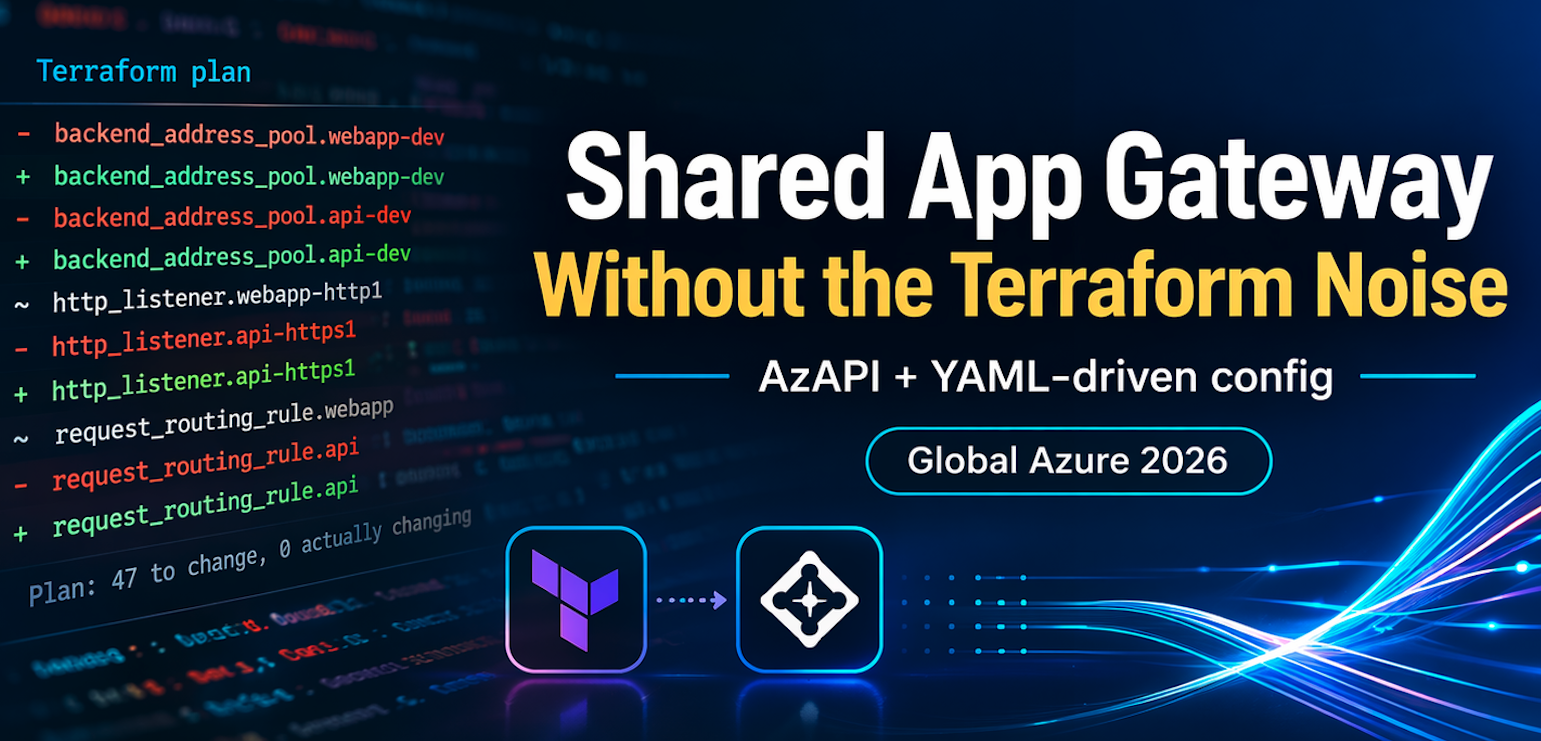
Managing a shared Application Gateway in Terraform is messy.
Not because it’s hard to define, but because you can’t trust what Terraform shows you. Add a backend pool and the plan says it’s removing and re-adding half the gateway. Nothing actually breaks, but the plan looks like a production outage waiting to happen.
This post walks through a pattern that fixes that. It uses new list handling capability that I contributed to AzAPI to make plans readable, and a YAML-per-app structure to make it easier to define multiple applications as configuration.
This is the same approach I covered at Global Azure 2026.
TL;DR
The full solution is at kewalaka/shared-app-gateway. There’s a Jupyter notebook that walks through deployment, idempotency checks, and adding/removing apps. If you just want to see it working, start there.
Why share a gateway?
Application Gateways are often shared for one reason: cost. They’re expensive enough that running a single instance for multiple apps makes sense, and they scale well in most environments.
This particular model works quite well if you have a central team managing ingress.
Source of the problem - everything is a flat list
An Application Gateway doesn’t understand “applications.” It just has lists: backend address pools, listeners, routing rules, probes, frontend ports. Every app contributes entries to the same lists.
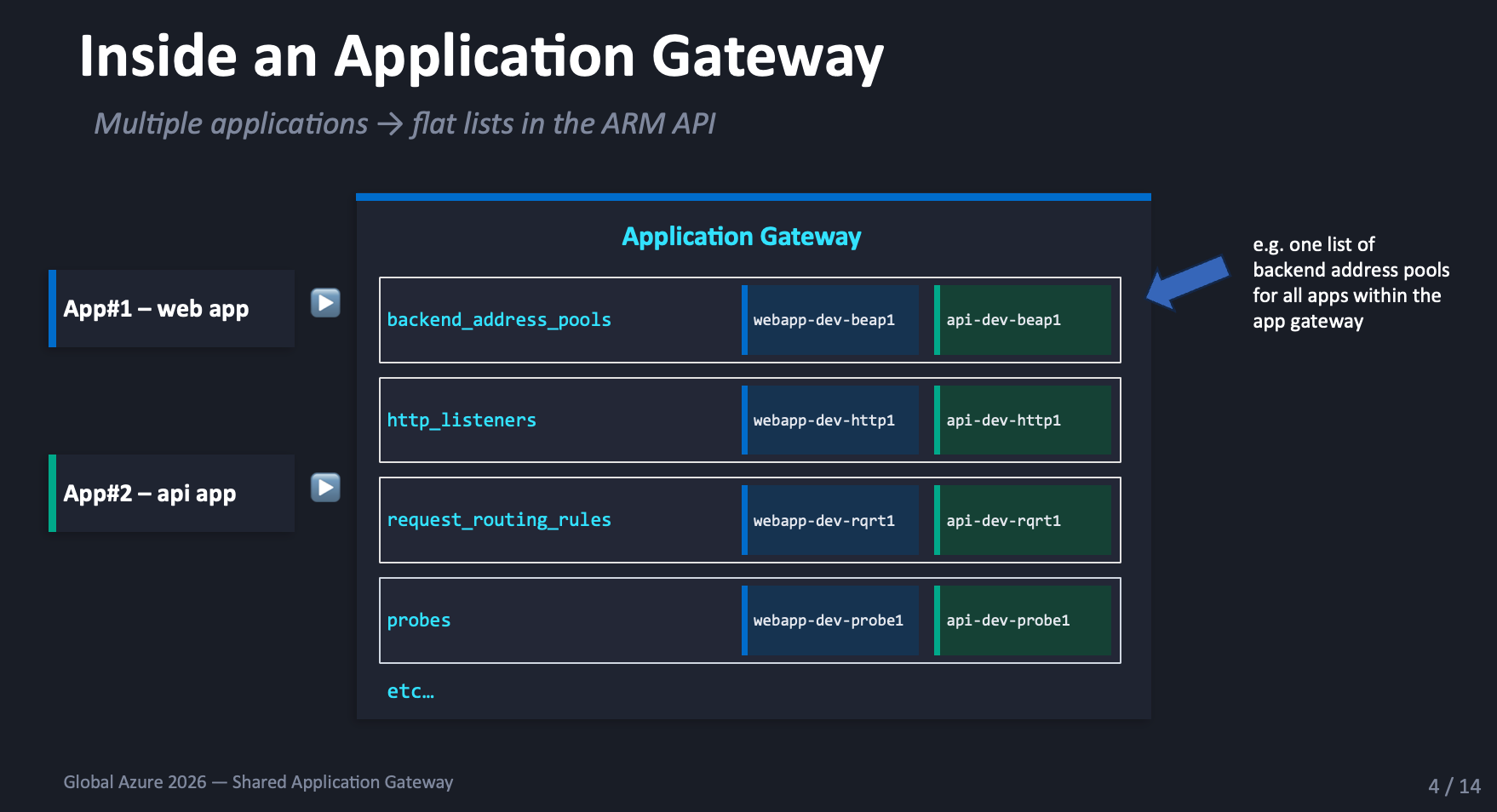
Terraform doesn’t get to update “just one app.” It has to send the entire configuration every time.
The plan noise problem
HashiCorp acknowledge the issue with azurerm_application_gateway
in their provider docs:
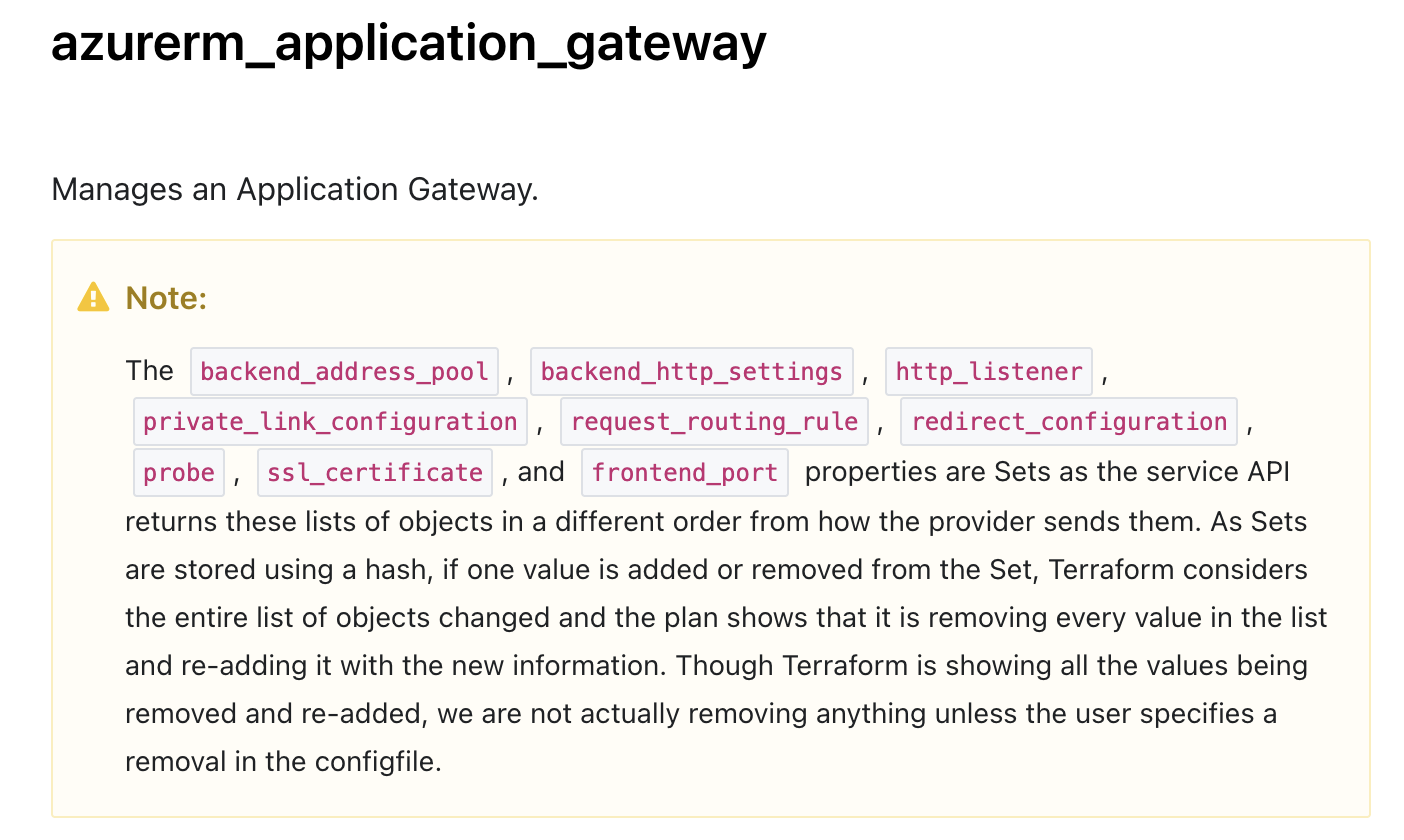
The message boils down to: “yes, the plan is noisy, trust us.” That’s not a great place to be when you’re reviewing changes that affect production traffic.
The root cause: lists are treated as sets, items are matched by hash not identity, and ordering differences create fake diffs.
Fixing the root cause
Matt White raised issue #995 on the AzAPI provider to address this. I contributed the implementation, which landed in AzAPI v2.9.0.
Instead of matching list items by position or hash, you tell the provider what uniquely identifies each item.
| |
Most sub-resource types use name as the key, because ARM
sub-resources are uniquely identified by name. The nested
backendAddresses list uses ipAddress instead, since
this block doesn’t have a name property.
It’s also possible to use a comma-separated list if needed. In short, you need to find the properties that uniquely identify the items in the list.
With this change, Terraform can match list items, which means you can add and remove items and have the plan only show the changes being made.
Defining multiple applications
With readable plans sorted, how do you define the apps within the gateway?
The obvious starting point for environmental configuration is tfvars. Define maps for each sub-resource type, pass them to the module:
| |
This works until you have more than a couple of apps. Then you end up with large tfvars files, unrelated apps mixed together, fiddly configuration and a greater likelihood of error.
What if you could separate each application so it got its own file?
A YAML approach
There’s various ways to accomplish this, here’s an example:
| |
Adding an app means adding a file. Removing one means deleting a file.
Terraform loads all YAML files and flattens them into the structure the gateway expects:
| |
A simple HTTP app looks like this:
| |
Cross-references are just names. The translation layer
resolves them to ARM IDs at plan time. A prod app with HTTPS
and HTTP-to-HTTPS redirect follows the same structure, just
with extra ssl_certificates and redirect_configurations
sections.
The translation layer
locals.tf sits between the YAML files and the AzAPI module.
It flattens all YAML files into shared lists, converts name
references into ARM resource IDs, and shapes everything to
match the ARM schema.
The pattern is the same for each sub-resource type:
| |
The outer loop iterates over YAML files, the inner loop
over entries within each file. Files that don’t define a
given resource type get skipped by the guard clause, and
each value is wrapped in a properties block to match the
ARM schema AzAPI expects.
Name-to-ID conversion happens inline:
| |
The ARM resource ID pattern is always
{gatewayId}/{subResourceType}/{name}.
Rules for coexistence
Multiple YAML files feeding into the same gateway need a few ground rules.
Names must be globally unique. I use
{app}-{env}-{type}{number}, e.g. webapp-dev-beap1,
api-dev-beap1. Easy to trace back to the owning app.
Routing priorities must not overlap. Give each app a range: webapp gets 10-19, api gets 20-29. New apps get the next block.
SSL certificates and other shared resources should only be defined in one file. If two files define the same certificate name, the deployment fails.
Upstream: AVM modules
The shared module currently uses forked resource modules in my own repo:
These include the conversion to AzAPI, and have just recently been PR’ed upstream to AVM.
The AVM team has been moving resource modules to AzAPI as the preferred provider, so this fits the direction.
My understanding is the team is moving towards normalising the
property names between Bicep and Terraform, which means some
work is required to remap existing implementations, there is an
UPGRADE.md in the repo with details which can assist you or
your friendly AI.
If you intend to explore this in production, I recommend you either inner source these modules or wait until they have (hopefully!) landed upstream.
Try it yourself
In the meantime, the full solution is at kewalaka/shared-app-gateway. If you only try one thing, use the Jupyter notebook. It deploys the gateway and four apps, proves the plan is clean on re-run, then removes and re-adds an app to show that only the affected sub-resources change.
For the details on just the list handling fix, and a video illustrating the behaviour, see part 1.
You can also catch up on the recording of the livestream from here: https://www.youtube.com/watch?v=Iwk-19w0T5E&t=20830s.